Showing posts with label Hyperdocs. Show all posts

Monday, March 31, 2025

Learning About HyperDocs

 What is a HyperDoc?
A HyperDoc is an interactive document, like a slide presentation or google doc, that provides students with access to all learning materials, resources, and activities in one, easily accessible document. HyperDocs shift instruction, providing students the content needed to explore and apply their learning by using communication, critical thinking, collaboration, and creativity. 

How does it enhance student learning?

HyperDocs enhance student learning in a number of ways. There are hyperlinks, embedded videos, interactive elements, and various activities to make learning for students more dynamic and engaging. Teachers can customize HyperDocs to meet the specific needs of individual students or groups, allowing for differentiated instruction. It also allows for students to explore content and topics at their own pace, and in ways that suit their learning needs best. HyperDocs can include reflection prompts to encourage students to think critically about their learning and make connections to real-world applications.


What is an example of a HyperDoc?
An example of a HyperDoc I had viewed, was a simple one-paged google doc. Students would access this document and see the content they need to view and the assignment to complete in three easy steps. The first step is to click on the link provided in the doc, and watch the video. After watching the video, they will follow the next step and look at an infographic of kids in nature. After reviewing the infographic, they will follow the last step on the HyperDoc, which asks a question. They are guided to click on the link which will take them to another google doc, which provides them with pictures, a graphic organizer, and steps to completing the assignment. Each HyperDoc is designed in a clean and colorful way, while incorporating pictures or videos, which make it engaging for students. 


Sunday, March 30, 2025

Exploring Google Maps by Using a HyperDoc


Traditional geography lessons can feel a bit dull, but HyperDocs bring them to life. I explored a HyperDoc for Google Maps in the form of a slide deck that makes learning both fun and more engaging than ever.

Instead of just reading about maps, students interact with them by zooming in, exploring Street View, and even traveling back in time. The lesson starts with a simple challenge of finding your school on Google Maps. From there, students zoom in, explore, and observe details they may not have noticed before.

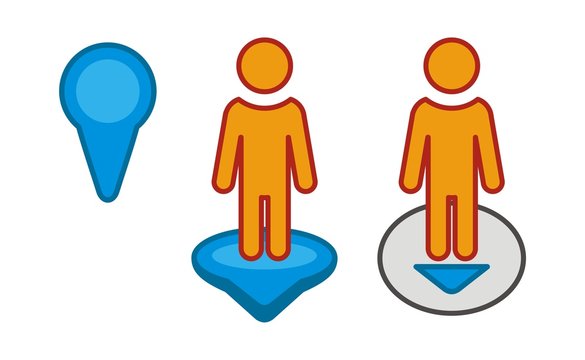
One of the most unique parts of this is the inclusion of pegman, the little yellow figure that unlocks Street View. Dragging pegman onto the map lets students take a virtual walk around their neighborhood, seeing familiar places from a whole new perspective. This inclusion allows for a much more interactive experience for the students when using the map.

The HyperDoc also introduces Google Maps’ timeline tool, allowing students to view how places have changed over time. This sparks discussions about urban development, history, and environmental change through an interactive experience where students can work at their own pace.

What makes this HyperDoc so effective is its ability to turn students into active learners. Instead of passively memorizing facts, they explore and discover for themselves. Geography isn’t just something they read about in a textbook, it is something that they experience.


Friday, March 28, 2025

Google slides as a Hyperdoc

In the United States, we love google and google software. The rest of the world prefers microsoft. That is not of particular importance however. It is only noteworthy because google will likely be the software of classrooms in America. For that reason it is important for K-12 educators to understand google software. Google slides do not have to be just words on a screen used for lecture, google slides can be so much more. I found a "beginners guide" to hyperdocs and found it to be a nice thorough enough video that showcases, in a beginners fashion, some capabilities of hyperdocs via google slides. 
As I noted previously, the world uses Microsoft, whereas America uses Google, and while I personally think that Microsoft has a significant gap between them and other software, Google slides are by no means bad. I think that Google slides are a nice, friendly on the eyes software, that, while it may not possess ALL of the capabilities of PowerPoint, it still very much can hold its own as a suitable program for educational settings. On the whole, Google Slides is very similar to PowerPoint, but Google owned programs flow better through Slides. That means that educators can connect Google Docs, Google Sheets, even Google Maps to their Slides, among other tools, and the classroom can access it all through the sole Google Slides. This can streamline a lesson and make it significantly easier for students to access a multitude of links, sites, etc. Using Slides as a hyperdoc also creates a centralized base for all essential links, sources, and embedded tools. 
Since hyperdocs are interactive, it will be much more engaging for the students because it isn't a boring lecture. They are enabled to click around, explore a little, and that can help stimulate their learning and consequently, their understanding. Speaking of understanding, educators have to understand hyperdocs as well, and there are many online resources where educators can get some inspiration. While this site, may not be exclusive to Google slides, it offers templates and ideas for hyperdocs. There is a paid subscription to access ALL of the sites resources, but there is a free option that allows for usage. Overall, hyperdocs via google slides can elevate a lesson. It can help students stay engaged and promote further understanding and learning if done right. In order to do it right, educators have to learn the program they wish to use, or find templates or learning opportunities for themselves.